Do You Need a C-Wire for a Smart Thermostat?
A smart thermostat without a C-wire can work when your exact HVAC system supports it. Choose a compatible thermostat or its approved power adapter after checking your equipment and terminal connections.
On this page (7 sections)
- Can a smart thermostat work without a C-wire?
- How can you tell whether your wiring will work?
- Which products suit a home without a common wire?
- Do heat pumps and zone systems change the decision?
- How should you plan installation and daily use?
- What mistakes cause power problems?
- Which smart thermostat without a C-wire should you choose?
A smart thermostat without a C-wire can work when your exact HVAC system supports that power arrangement. Choose the thermostat and its power source together, before removing your old controls.
The Sensi ST55 suits households that want familiar buttons, while the Google Nest Thermostat suits people who prefer app-based scheduling. The ecobee Power Extender Kit and Nest Power Connector are accessories that solve a power problem, not replacement thermostats.
Can a smart thermostat work without a C-wire?
Yes, on compatible systems, but “without a C-wire” does not mean the thermostat needs no power. Its display, Wi-Fi connection, and controls still need a suitable supply.
A common wire completes the low-voltage power circuit from the HVAC equipment. Some thermostats can operate without that connection in certain installations; others need an approved adapter or a connected common wire.
Batteries in the box do not prove that a thermostat can run every smart feature on batteries alone. Check the model’s installation requirements rather than using battery presence as your buying rule.
Start with our wiring-first smart thermostat guide if you’re comparing broader features. Power compatibility should come before app design or voice control.
How can you tell whether your wiring will work?
Identify your system and terminal labels, then use the thermostat manufacturer’s compatibility guidance. Counting wires or matching their colors is not enough.
- Read the old thermostat’s removal instructions and shut off power to the HVAC equipment.
- Remove only the faceplate as directed and photograph the connected wires.
- Record each terminal label, including any separate labels for conventional systems and heat pumps.
- Look for a connected C terminal and any unused wire tucked behind the plate.
- Confirm the equipment-side connections before treating a spare wire as usable.
A loose wire may offer a way to add a common connection without pulling new cable. It still needs the correct connection at both ends, and not every spare conductor is available for that job.
If the equipment panel is unfamiliar or the labels do not match the instructions, have an HVAC professional identify them. Our smart thermostat compatibility guide explains the system details to gather first.
Which products suit a home without a common wire?
Choose a thermostat for its controls and an accessory for its supported wiring arrangement. These 4 options serve different buyers, so they should not be treated as interchangeable fixes.
Sensi ST55: a smart thermostat without a C-wire for familiar controls
The Sensi ST55 suits households that want physical buttons alongside scheduling and remote access. Sensi says a common wire is not required in most applications, so confirm your exact setup before choosing it for that reason.
Its built-in level and step-by-step app instructions help with mounting and setup. The traditional shape also makes it worth considering when you want to cover the space occupied by an older thermostat.
Usage reports, equipment alerts, and filter reminders suit people who want help keeping up with routine HVAC care. Sensi also says it will not sell your personal information to third parties.
Skip it if your system falls outside Sensi’s supported wiring arrangements. Choose it for the combination of familiar wall controls and useful app features, rather than assuming its no-common-wire support covers every home.
ecobee Power Extender Kit: for an ecobee installation
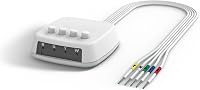
The ecobee Power Extender Kit suits buyers committed to a compatible ecobee thermostat who need a common-wire alternative. It is an accessory, so you still need the thermostat itself.
It works with eligible 24 VAC systems and excludes millivolt, high-voltage, dual-transformer, fan-coil, and communicating units. Skip it if your equipment is in those groups or you are choosing a different thermostat brand.
Check the thermostat box contents before ordering separately. ecobee includes a Power Extender Kit with its Smart Thermostat models except Smart Thermostat Essential and Smart Thermostat Lite.
Use ecobee’s compatibility checker to confirm the wiring arrangement. Our ecobee Power Extender Kit guide helps you decide whether a separate kit belongs on your shopping list.
Google Nest Thermostat: for app-based schedules
The Google Nest Thermostat suits households that want Google Home schedules and remote temperature changes. It can turn itself down when you leave, while Savings Finder suggests changes to your schedule.
Google designs it to work without a common wire in most homes. Heating-only, cooling-only, zone-controlled, and heat pump systems may need a common wire or compatible power accessory.
Choose it if you want those scheduling tools and your equipment supports the required power setup. Skip it if you need a guaranteed accessory-free installation before checking your wiring.
Remote control and notifications require working internet and Wi-Fi. Read our Google Nest Thermostat review if you want to weigh its everyday controls after confirming compatibility.
Google Nest Power Connector: for Nest systems needing power support
The Nest Power Connector suits a compatible Nest installation that requires another power source. It avoids running new thermostat wiring, but installation happens at the HVAC equipment.
It attaches at the furnace, air handler, or zone controller. That makes equipment access part of the decision, especially if your thermostat is easy to reach but the control board is not.
The connector supports eligible 24 VAC systems and cannot serve millivolt or high-voltage equipment. Skip it for a non-Nest thermostat, and do not assume it replaces a system compatibility check.
It is a useful route when Google approves the arrangement and running cable would be difficult. If you cannot identify the equipment terminals, include professional installation in your plan.
Do heat pumps and zone systems change the decision?
Yes, equipment controls and power requirements must both match. An adapter supplies a supported power arrangement; it does not add heating stages or other controls that a thermostat lacks.
Heat pumps may use terminals for a reversing valve and auxiliary heat. Confirm those functions through the manufacturer’s guidance before focusing on how to avoid a common wire.
Our smart thermostat guide for heat pumps covers the checks that matter for this system type. If extra heating wires are confusing, read what aux heat does before changing connections.
For zoned equipment, identify the controller that serves the thermostat. Follow the instructions for that arrangement instead of copying a furnace wiring diagram from a different home.
How should you plan installation and daily use?
Confirm the power plan before disconnecting anything, then follow the instructions for your exact thermostat and accessory. Keep your original wiring photo until the new controls operate correctly.
Label wires by their old terminal names and keep them from slipping into the wall. Never move a wire to C merely because its color looks right or another diagram uses that color.
An equipment-side adapter can mean more work than replacing the wall unit. Use our smart thermostat installation cost guide to decide which parts of the job you can handle and when to hire help.
After setup, confirm that heating, cooling, and fan operation respond as the manufacturer directs. Check any heat pump or auxiliary heat settings against your equipment rather than accepting an unfamiliar default.
Start with a simple schedule based on when people are home. Frequent manual overrides usually mean the schedule needs adjustment; changing settings repeatedly makes it harder to judge which routine keeps you comfortable.
Keep vents clear and follow your equipment’s filter-care instructions. Thermostat reminders can prompt maintenance, but equipment alerts do not replace a professional diagnosis.
What mistakes cause power problems?
Avoid guessing at wiring or treating an adapter as universal. A blank display, repeated restart, or power warning calls for the manufacturer’s troubleshooting steps.
Check that the equipment has power restored after installation and that the thermostat faceplate is seated as instructed. Shut power off again before inspecting connections.
Do not keep swapping wires to see what works. If the wiring differs from the approved diagram, stop and get help identifying the mismatch.
The C-wire adapter guide explains when an accessory can help. A new power accessory will not correct unsupported equipment or a wire connected to the wrong terminal.
Which smart thermostat without a C-wire should you choose?
Choose the Sensi ST55 for familiar buttons if Sensi approves your wiring, or the Google Nest Thermostat for Google Home scheduling if its power requirements fit your equipment.
For an ecobee setup, confirm whether you need a separate Power Extender Kit. For Nest, choose the Power Connector when Google supports that solution and equipment-side installation is practical.
If neither approved arrangement fits, ask about connecting an existing spare conductor or running a common wire. For the next planning step, use the C-wire and thermostat wiring hub.
Frequently asked questions
Can a smart thermostat work without a C-wire?
Yes, some smart thermostats work without a C-wire when the HVAC system supports that power arrangement; check the exact thermostat model against your equipment and terminal labels before buying. If another power source is required, use an approved accessory or ask an HVAC professional about connecting a common wire.
How do I know if I have a C-wire?
Look for a wire connected to the terminal marked C, then confirm that it connects correctly at the HVAC equipment; shut off HVAC power before removing the thermostat faceplate as instructed. Color alone proves nothing, and an unused wire behind the wall plate may be disconnected at the other end.
Can I use a C-wire adapter with any smart thermostat?
No, a C-wire adapter must support both your thermostat and your HVAC system. The ecobee Power Extender Kit serves compatible ecobee models, while the Nest Power Connector is designed for Nest thermostats; both require eligible equipment, so matching the brand alone is not enough to confirm compatibility.
Do heat pumps need a C-wire for a smart thermostat?
Some heat pumps need a C-wire or compatible power accessory, even when the thermostat works without one in other homes; confirm support for your heat pump, auxiliary heat, and terminal connections together. A power adapter cannot make a thermostat support heating stages or controls it was not designed to handle.